










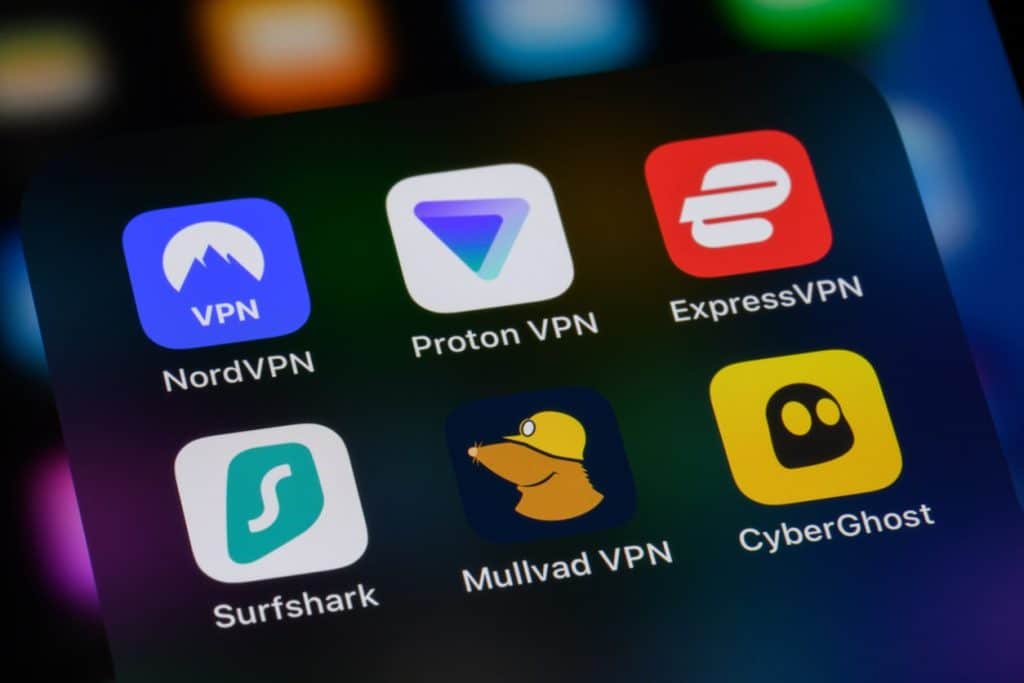
Icons showing popular VPN apps. Source: TechGaged
Best VPN for Crypto Trading: What to Use and Why It Matters
In Brief
- • VPNs help crypto traders protect login credentials, wallet activity, and exchange sessions on unsecured networks.
- • Features like audited no-logs policies, kill switches, and fast protocols matter most for active trading security.
- • Some exchanges may flag VPN traffic, so traders should always check platform rules before connecting.
Trading crypto on an unsecured public network puts your IP address, login credentials, and wallet activity at risk from potential man-in-the-middle attacks. NordVPN is the best VPN for crypto trading. Its Threat Protection Pro suite independently audited no-logs policy, and NordLynx protocol make it the strongest choice for active traders.
In this article, I’ll cover why VPN protection matters for crypto traders, what to look for when choosing one, and a detailed breakdown of NordVPN’s features most relevant to trading securely.
Latest Stories
Institutional Crypto Demand Is Surging As ETF Inflows Hit Multi-Month Highs
Zcash Has Delivered A 121% Rally Since June — Social Interest Is Finally Returning

Crypto Sentiment Flips — Another Major Market Shift May Be Underway
Table of Contents
Why Crypto Traders Use a VPN
For active traders, a VPN is a practical security tool with a few distinct uses beyond general privacy. Here’s what it actually does for your trading setup.
Encrypt your connection
Public Wi-Fi networks are a common target for man-in-the-middle attacks. Even on HTTPS connections, public networks expose you to risks like SSL stripping and rogue hotspots, which can intercept login credentials and session data.
NordVPN encrypts all traffic with AES-256, which makes it unreadable to anyone else on the network. This applies any time you trade from a café, hotel, airport lounge, or any connection you don’t control.
Protect your IP and wallet identity
Exchanges log the IP address behind every login and transaction. Blockchain activity is pseudonymous rather than anonymous, which means a leaked IP can be used to correlate on-chain wallet activity with a real identity. Masking your IP adds a meaningful layer of separation between your identity and your trading history.
Access your exchanges while traveling
If you travel frequently, logging in from an unfamiliar country can trigger exchange security checks, temporary access restrictions, or account flags.
Connecting through a VPN server in your home country can keep your IP consistent and reduce the risk of lockouts mid-trade – though note that some exchanges actively detect and flag known VPN IP ranges, so results may vary by platform.
DeFi and Web3 traders
VPN protection isn’t limited to centralised exchanges. Connections to MetaMask, Uniswap, and other dApps run through your browser like any other web traffic, and a VPN covers all of it at the network level – not just your exchange sessions.
Keep in mind though that your on-chain transactions remain publicly visible on the blockchain regardless, so a VPN limits IP exposure but doesn’t make blockchain activity anonymous.
Looking for deeper insights into the future of crypto? Explore our Crypto Predictions 2026 guide covering Bitcoin forecasts, expert outlooks, and key market trends.
Why NordVPN Is the Best VPN for Crypto Trading
NordVPN leads on almost every criterion that matters for traders: security depth, speed, and a no-logs infrastructure that holds up under independent scrutiny. Here’s what sets it apart.
| Servers | 9,400+ |
| Locations | 211+ |
| Simultaneous connections | 10 |
| Encryption | AES-256-GCM |
| Platforms | Windows, macOS, Linux, Android, iOS, Android TV, tvOS |
| Browser extensions | Chrome, Firefox, Edge |
| Money-back guarantee | 30 days |
| Accepts crypto payments | Yes |
| Starting price | $3.09/month (Basic, 2-year plan) |
| ✅ Pros | ❌ Cons |
| Crypto wallet address checker — unique among major VPNs | Threat Protection Pro full features not available on mobile |
| No-logs policy audited six times by independent firms | Dedicated IP is a paid add-on, not included in base plans |
| RAM-only servers across 211+ locations | |
| NordLynx delivers strong speed retention for live trading | |
| Dual kill switch modes on Windows | |
| Dark Web Monitor included |
Threat Protection Pro and the crypto wallet address checker
NordVPN’s Threat Protection Pro goes well beyond standard ad and tracker blocking. Its crypto wallet address checker scans web pages locally on your device, then cross-checks any wallet addresses it finds against a database of known fraud and phishing – flagging suspicious ones directly on screen. Only the wallet address is sent for verification; no browsing data or page content ever leaves your device.
I think this is the standout feature for crypto users specifically – most VPNs don’t come close to this level of trading-relevant protection. It also blocks malicious and phishing domains in real time, which matters given how common exchange lookalike sites have become.
Worth noting: Threat Protection Pro, including the wallet checker, is only available on Windows and macOS, not mobile.
No-logs policy, audited six times
NordVPN’s no-logs policy has been independently verified six times, most recently by Deloitte Lithuania in late 2025 under the ISAE 3000 framework. Every audit confirmed that NordVPN does not log browsing activity, connection timestamps, or IP addresses.
Six independent audits is a genuinely high bar – most providers manage one or two. For crypto traders, that means no activity record to subpoena, leak, or sell.
RAM-only servers
NordVPN’s 9,400+ servers across 211+ locations run entirely on RAM, so every server reboot wipes residual session data automatically. Trading activity is never stored at the infrastructure level.
Kill switch
On Windows and macOS, NordVPN offers two kill switch modes: an internet-level kill switch that cuts all network access if the VPN drops, and an app-level kill switch that closes only the programs you specify.
In my opinion, the dual-mode setup is more useful than it first appears – most VPNs give you one option and call it done. For active traders, the internet-level kill switch is the safer default, since it prevents an open position from being exposed on an unprotected connection if the VPN drops mid-session.
Dark Web Monitor
NordVPN’s Dark Web Monitor scans breach databases for your personal data and alerts you if your credentials appear. I find this particularly useful for crypto account security – an early warning can make the difference between acting before and after funds are moved.
Dedicated IP
A dedicated IP gives you a consistent address that only you use, reducing the security flags and CAPTCHA friction that shared VPN IPs tend to trigger on exchanges. It’s available through NordVPN’s browser extension and comes as a paid add-on.
Specialty servers
For higher-privacy scenarios, NordVPN offers:
- Double VPN – traffic routed through two servers and encrypted twice
- Onion Over VPN – Tor anonymity combined with VPN encryption
- Obfuscated servers – disguises VPN traffic as regular internet traffic for restrictive networks where standard VPN connections get blocked
- NordWhisper – a dedicated protocol that achieves the same goal as obfuscated servers but works differently under the hood, mimicking HTTPS traffic to bypass deep packet inspection
Crypto payments
NordVPN accepts Bitcoin and Ethereum, so you can set up your account without linking a payment method to your identity.
Pricing
NordVPN offers four plans, with the best value on 2-year billing cycles. Prices below are for US customers – pricing and available plans vary by country.
| Basic | Plus | Complete | Prime | |
| Monthly | $12.99/month | $15.29/month | $18.69/month | $25.29/month |
| 1-year | $4.99/month | $5.49/month | $6.99/month | $8.99/month |
| 2-year | $3.09/month | $3.59/month | $4.99/month | $6.99/month |
- Basic (from $3.09/month) – core VPN access across 211+ locations, basic Threat Protection, and Dark Web Monitor.
- Plus (from $3.59/month) – everything in Basic, plus Threat Protection Pro and NordPass password manager.
- Complete (from $4.99/month) – everything in Plus, plus Dark Web Monitor Pro, and 1TB of encrypted cloud storage.
- Prime (from $6.99/month) – everything in Complete, plus identity theft protection and cyber insurance (availability varies by country).
What to Look for in a VPN for Crypto Trading
Not every VPN is suited for active trading. These are the criteria worth prioritising when evaluating your options.
Exchange access and IP reputation
The most practical test for any trading VPN is whether it gives you reliable, friction-free access to the exchanges you use. Some VPN IP ranges are flagged by exchanges as suspicious, triggering CAPTCHAs, security checks, or temporary blocks.
I think this is the single most important factor for most traders – a VPN with strong privacy credentials is worthless if it gets you locked out of your exchange mid-session. Look for a provider with a large, regularly maintained server network and clean IP addresses.
Speed and latency
For live trading, connection speed directly affects order execution. A slow or throttled VPN introduces latency that can cost you on fast-moving trades. WireGuard-based protocols like NordLynx are worth prioritising here – in my opinion they’ve made older protocols largely redundant for anyone who trades actively, given the speed and stability difference.
Security features checklist
At minimum, a VPN for crypto trading should offer:
- AES-256 encryption
- An audited no-logs policy
- A kill switch
- RAM-only servers
- IP and DNS leak protection
These are the baseline. It’s worth noting that plenty of VPNs advertise a no-logs policy without ever submitting it for independent verification – that distinction matters more than most people realise.
Is It Legal to Use a VPN for Crypto Trading in the US?
Using a VPN for crypto trading is legal in the United States. Cybersecurity authorities actively recommend encryption tools for protecting financial data online, and a VPN is no different from other security software in that regard.
The more relevant question is platform terms of service. Binance.com is outright unavailable to US users due to regulatory restrictions – the platform is geo-blocked for American residents and using a VPN to access it violates Binance’s ToS, carrying real risk of account suspension and frozen funds. This goes beyond a VPN-specific clause; the underlying issue is that US residents are prohibited from accessing Binance.com entirely. Coinbase and Kraken do not have an explicit VPN ban in their terms, but ToS documents change, so it’s worth checking directly before connecting through a VPN.
Tax and KYC obligations are a separate matter entirely. A VPN masks your IP address – it doesn’t change your legal residency or your reporting obligations. Using one to misrepresent your location for tax purposes or to circumvent KYC requirements carries genuine legal risk, and it’s not something a VPN is designed to help with.
The short version: legal to use, low risk on most major exchanges, but the Binance.com situation is a meaningful exception for US traders – and always check the specific rules for any platform you trade on.
How to Set Up NordVPN for Crypto Trading
Configuring NordVPN correctly for trading takes about five minutes. These steps will get you to a secure, optimised setup.
- Download and install NordVPN on your device from nordvpn.com or your device’s app store.
- Switch your protocol to NordLynx. Go to Settings, select the VPN protocol, and choose NordLynx. This gives you the best combination of speed and stability for live trading.
- Enable the internet-level kill switch. Find it under Settings and turn it on before your first session. If your VPN connection drops unexpectedly, your internet access cuts out rather than defaulting to an unprotected connection.
- Enable Threat Protection Pro and turn on the crypto wallet address checker. Both are off by default – you’ll find them in the Features section of the app. This is the step most people skip, and in my opinion it’s the most important one for crypto users specifically.
- Choose your server. A local server works well for most sessions. If you’re running into CAPTCHA prompts or access issues on your exchange, switch to a Canadian or Singaporean server – these consistently return clean IPs that exchanges recognise without friction.
- Connect before opening your exchange or wallet app. Make it a habit to confirm your VPN is active before any session starts.
FAQ
1. Which VPN is best for crypto trading?
In my opinion, NordVPN is the best VPN for crypto trading in 2026. Its Threat Protection Pro feature includes a crypto wallet address checker that flags dangerous wallet addresses while you browse – something no other major VPN offers. Combined with a no-logs policy audited six times, most recently by Deloitte Lithuania in late 2025, RAM-only servers, and the low-latency NordLynx protocol, it’s built for active traders.
2. Is it legal to use a VPN for crypto trading in the US?
Yes – using a VPN for crypto trading is legal in the United States, and cybersecurity authorities actively recommend encryption tools for protecting financial data. That said, some exchanges have their own rules: Binance.com prohibits anonymizing tools for US residents, which risks account suspension, while Coinbase and Kraken have no explicit VPN ban. Always check your exchange’s terms of service before connecting.
3. Should I use a free VPN for crypto trading?
No. Free VPNs are not safe for crypto trading. Most lack a reliable kill switch, many enforce bandwidth throttling that disrupts live trades, and a significant number generate revenue by logging and selling user data – the opposite of what a trader needs. If cost is a concern, NordVPN’s 30-day money-back guarantee lets you test it risk-free before committing.
How do you rate this article?
Subscribe to our YouTube channel for crypto market insights and educational videos.






Join our Socials
Briefly, clearly and without noise – get the most important crypto news and market insights first.

Most Read Today
1
Crypto Sentiment Flips — Another Major Market Shift May Be Underway
2What Is a Cross-Chain Bridge and How Does It Work in 2026?
3Institutional Crypto Demand Is Surging As ETF Inflows Hit Multi-Month Highs
4Public Blockchains Are Quietly Winning The Institutional Tokenization Battle
5Can You Still Harvest Crypto Losses on Your 2026 Taxes?
Latest




8
Also read
Similar stories you might like.

Crypto News
Institutional Crypto Demand Is Surging As ETF Inflows Hit Multi-Month Highs
Azeez | 2026-08-23

Crypto News
Crypto Sentiment Flips — Another Major Market Shift May Be Underway
Azeez | 2026-08-22
Crypto News
One Bitcoin Trend Is Beginning To Look Strikingly Familiar
Azeez | 2026-08-21

Crypto Guides
What Is a Rug Pull in Crypto, and What Should You Do Right Now?
Rokas | 2026-08-21
Crypto News
Over $300M In Bitcoin Shorts Liquidated As BTC Breaks Higher — What’s Next?
Azeez | 2026-08-19
Crypto News
A Nasdaq Firm Backs US Bitcoin Treasury With 2,100 BTC — Bullish?
Azeez | 2026-08-19
Crypto News
Bitcoin Volatility Hits A Rare Extreme — A Bigger Move Could Be Coming
Azeez | 2026-08-18
Crypto News
Strategy Is Selling Bitcoin Instead Of Buying — Should Investors Be Worried?
Azeez | 2026-08-17
Crypto News
Crypto Markets Get A Major Regulatory Boost Even Without CLARITY Act Passage
Azeez | 2026-08-16

Crypto News
The Next Crypto Investment Wave May Be Bigger Than Bitcoin — Here’s Why
Azeez | 2026-08-15